Key Takeaways
- The Bearer token authenticates your server to the control plane. It is not a client-side secret and it is not an SMS credit pack.
- Put the key in environment variables (or a secret manager). Never commit it, never bake it into the Android APK, never paste it into a ticket.
- Name it something obvious like SMS_GATEWAY_API_KEY. Read it at process start and fail closed if it is missing.
- Rotate on staff change and after any paste into chat. The old key should 401 within the hour.
- Priced by devices and SMS send volume. You use your own phone and operator SMS credit. A leaked key burns your operator airtime and your plan allowance — not a vendor prepaid pack you can cash out.
- Prove the send path on Free (300 SMS lifetime) with a staff number before you put the key in production CI.
Why the key never belongs in the APK
Search intent for android sms gateway app how to secure api keys in env is blunt: keep the Bearer token off devices that users can reverse. Service pricing is based on device count and total SMS sent through the gateway. A stolen key does not mint free carrier SMS — it spends your airtime and your plan send volume until you revoke it.
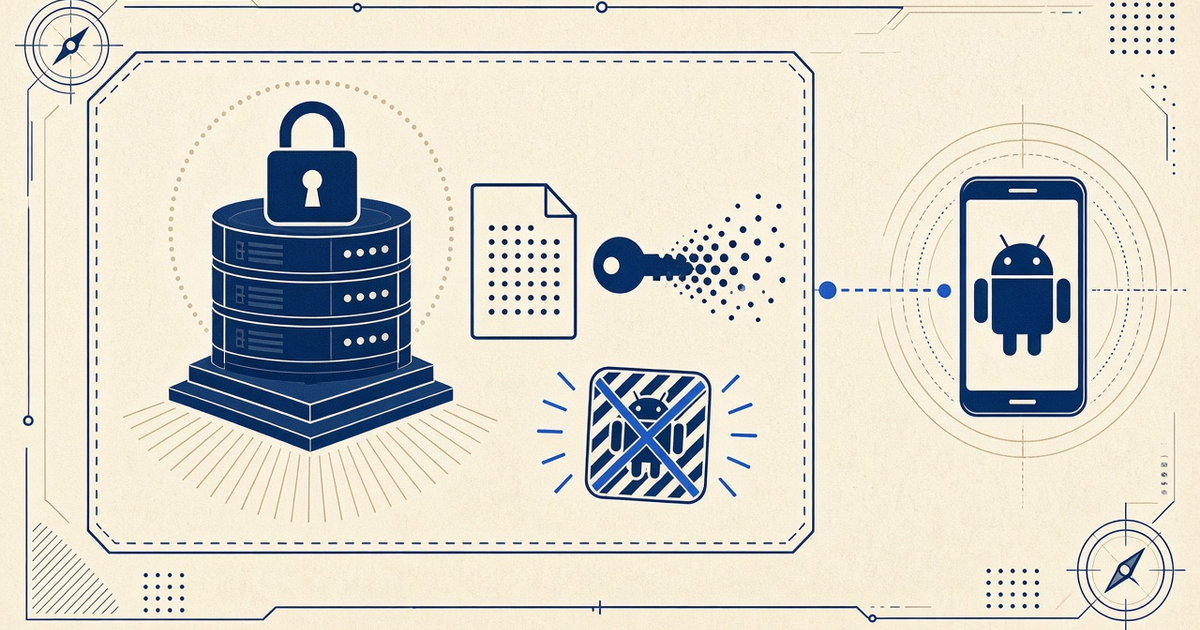
The Android gateway app on the rack is paired to your account. That pairing is not the same object as the REST key your backend uses. Mixing them is how keys end up in screenshots of “the phone settings.”
If the secret can ride to a customer’s phone, treat it as public. Gateway API keys belong on hosts you patch, not in Play Store binaries.
OWASP’s Secrets Management Cheat Sheet is the generic version of this page. The SMS-specific risk is extra: a leaked key plus an online handset is a send cannon aimed at your SIM.
Where keys actually leak
Most incidents are not Hollywood APTs. They are a committed .env, a verbose CI log, or a contractor who still has the vault. Use the table as a threat model for Hub D app integrations.
| Leak surface | Why it happens | What to do |
|---|---|---|
| Git history | A one-line commit of .env is forever in clones and forks | gitignore, pre-commit secret scan, rotate the key that escaped |
| Frontend bundle | VITE_ / NEXT_PUBLIC_ prefixes ship to the browser | Server-only env. The SPA never sees Bearer tokens |
| Android APK / Play build | Strings.xml and BuildConfig are trivial to extract | Pairing credentials stay on the gateway phone; API keys stay on your API |
| CI logs | echo $KEY and debug curl -v print Authorization headers | Masked variables; never dump env; redact support pastebins |
| Issue trackers | “Here is the key, can you reproduce?” emails live for years | Rotate, then describe the failure without the secret |
| Shared 1Password without rotation | Contractors keep vault access after the project ends | Named owners, offboarding checklist, dashboard revoke |
A boring env pattern that works
Load SMS_GATEWAY_API_KEY (or your shop’s naming) at process boot. Refuse to start the worker if it is empty. Pass it only as an Authorization header. Official samples already use a shell variable — copy that habit, not a hardcoded string.
curl -X POST "https://app.sms-gateway.app/api/v1/messages" \
  -H "Authorization: Bearer $SMS_GATEWAY_API_KEY" \
  -H "Content-Type: application/json" \
  -H "Idempotency-Key: 3f1b0c8a-9d2e-4c77-9f5a-2b6d1e0f4a83" \
  -d '{"to":["+14155552671"],"text":"Your verification code is 481920","type":"sms"}'
Confirm the live contract at docs.sms-gateway.app. Language samples on PHP HTTPS examples and C# HTTPS examples are copy-paste REST — not a packaged multi-language SDK.
- Create .env locally; add it to .gitignore.
- Commit .env.example with empty values and comments only.
- Inject the same names in production (container env, systemd, or a secret manager).
- Never prefix the key with a public bundler flag.
- Log “auth configured: yes/no,” never the token.
Rotation and staff change
Dashboard keys should be treated as one-way: you see them at creation, you store them in the vault, you rotate when people leave. Pair that with the GDPR-minded handling on GDPR-minded data handling — a key in an old ticket is personal-ops data and a credential.
Name an owner. Offboarding without revoke is how last year’s agency still can queue SMS on your SIM. After rotate, watch DLR for unexpected destinations for 24 hours.
CI, preview apps, and logs
Preview deployments are a classic leak: a Vercel/Netlify public env copied from production, or a PR bot that prints curl. Use a dedicated key with a tiny allowance for CI, or mock the send client in unit tests. Production keys stay in production.
Idempotency keys in samples are not secrets. API keys are. Do not confuse the two headers when you paste into runbooks.
What the Android app should hold
The gateway APK on the rack holds pairing state so it can claim jobs. That is not your backend Bearer token. Do not type the REST key into a note on the phone. Lock the device. When you decommission hardware, revoke pairing and factory-reset — same discipline as device setup.
Multi-device accounts still use one (or a few) server keys. Routing is deviceIds on the send call, not a key per phone in the APK. See the multi-device in-depth guide.
Hardening checklist
- .gitignore covers .env, .env.local, and IDE env files.
- Secret scan in CI (even a cheap regex on Bearer-looking strings).
- Production injects env; the image does not contain the value.
- Support macros never ask customers to paste keys in chat.
- Rotation drill documented next to pricing so finance knows a revoke is not a refund of airtime.
- Webhook signing secrets follow the same env rules as send keys.
Next steps
Create a key in the dashboard, store it in env, send one canary from a paired test phone, then revoke and confirm 401. When that drill is boring, you are ready for production volume.
Related product pages
Jump to the live product docs for this topic—not another long-form article.
- SMS API documentationLive endpoint reference
- device and SMS volume pricingPlans and allowances
- Android SMS gateway product guideDefinition, product, and how to buy
- download the Android gateway appGet the APK