Key Takeaways
- Vendor battery savers kill gateway workers overnight more often than bugs in your API client.
- Treat OEM exemptions as a release gate after every APK and system update — not a one-time install checkbox.
- Autostart, ignore battery optimizations, lock the app in Recents, and keep the phone charging.
- Test last-seen across a full sleep cycle before you call OTP ready.
- Devices + volume pricing still applies; you bring the phone and operator airtime.
- Spare phones beat clever troubleshooting when a brand ships a new killer in a silent update.
This Hub D guide is a deep dive on background restrictions by OEM for the Android SMS Gateway App. Service pricing is devices + send volume (free tier 300 SMS lifetime; paid from $19/month). You supply the phone and operator SMS credit — see device and SMS volume pricing.
Context
Searchers who type android sms gateway app plus “killed overnight” are not looking for a feature list. They have a phone that was green at 18:00 and silent at 07:00. Stock Android Doze is only the start. Xiaomi MIUI, Huawei, Oppo ColorOS, Vivo, OnePlus, and Samsung each ship extra killers: autostart denylists, “deep sleep” buckets, and adaptive battery that learns to starve apps that look idle — which a gateway is, between jobs.
Google documents the platform behavior in Doze and App Standby. Vendor overlays are not in that document. Your production matrix has to be.
What OEM killers look like
If last-seen dies while the battery is still at 80%, you do not have an airtime problem. You have a vendor policy problem.
Core ideas
Treat OEM restrictions as an owned workflow with a named person and an alert on last-seen, not as a forum thread you read once at install. Exempt the gateway app from battery optimization. Enable autostart. Disable “auto-manage” or “learn usage” where those toggles exist. Lock the app in Recents so swipe-away does not murder the worker. Keep the phone on power.
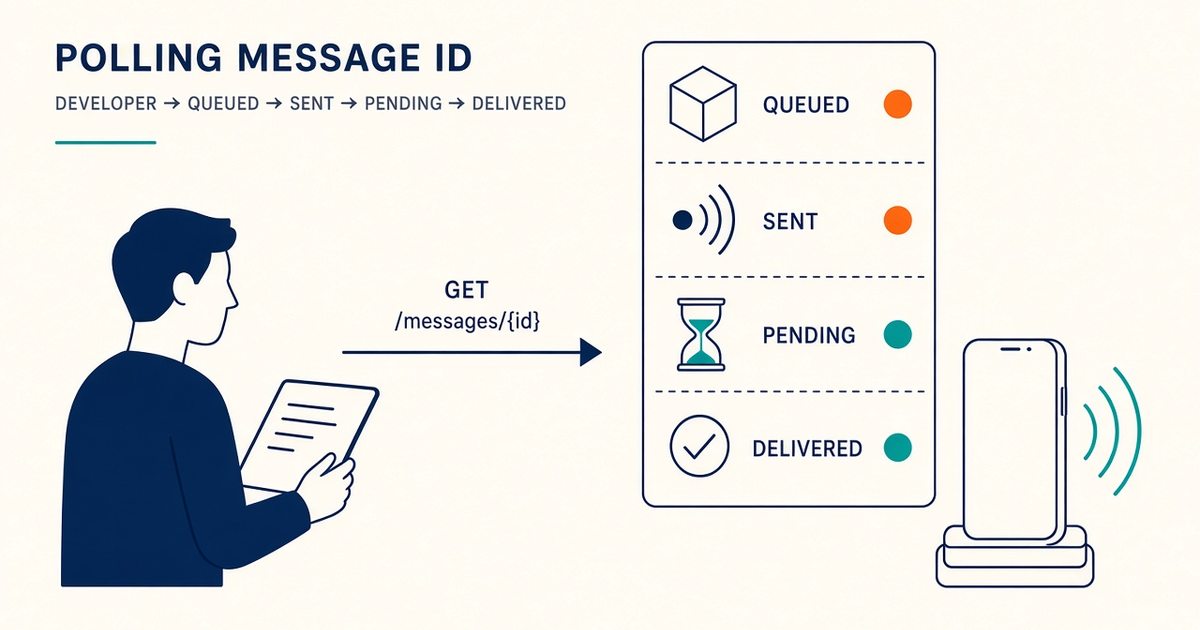
Accept is not delivered. Wire DLR or webhooks into the timeline support sees. Airtime and gateway service fees are different layers — model both.
OEM settings matrix
| Brand overlay | Menus to open | Prove it worked |
|---|---|---|
| Stock / Pixel | App battery → Unrestricted; ignore optimizations | Last-seen through a night on charger |
| Samsung One UI | Never sleeping apps; disable Adaptive battery for the APK | No “sleeping” badge on the gateway app |
| Xiaomi / HyperOS | Autostart; no restrictions; lock in Recents | Worker alive after 8h idle + screen off |
| Huawei | App launch (manual + secondary); ignore optimizations | Canary after overnight; pairing intact |
| Oppo / Vivo / OnePlus | Autostart, high background power, lock Recents | Queue still drains at 07:00 |
The labels move every major overlay release. Screenshot the live menus into the runbook for the exact build you freeze. Don’t train support on a 2022 blog screenshot of MIUI.
Design the exemption as a release gate
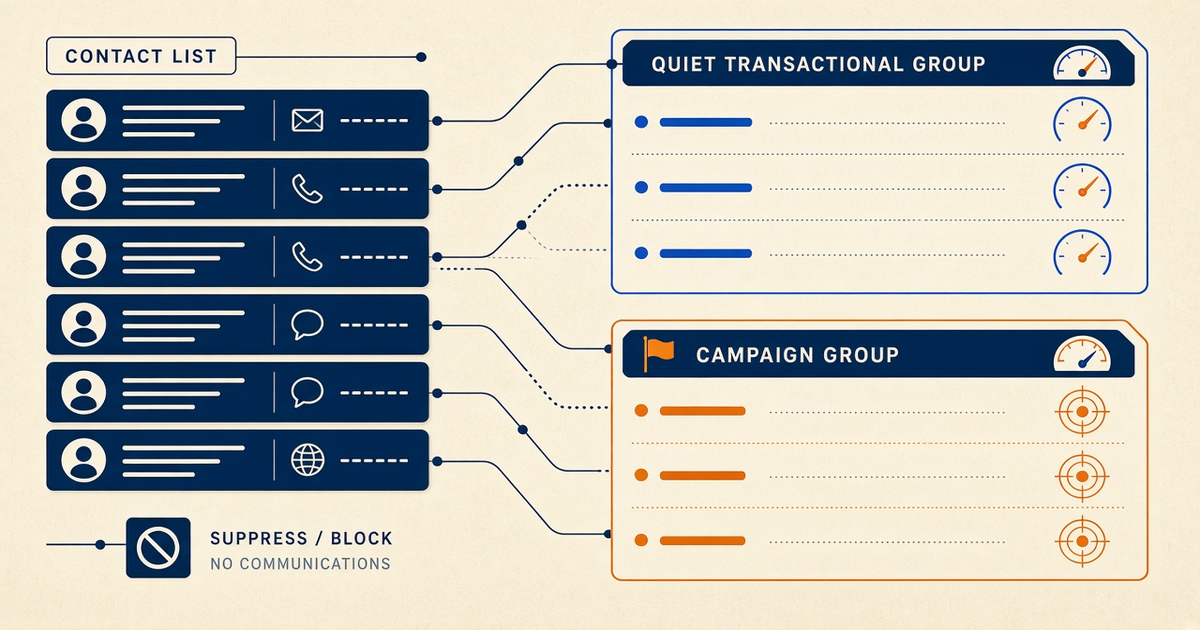
List failure modes before the happy path: swipe-kill, adaptive battery, missing autostart, work profile isolation, tablet without a SIM. Prefer health-aware routing when you have more than one device. Document staging versus production phones and keys. Budget engineer time for OEM updates the same way you budget SIM logistics.
Write SLOs that mention handsets, not only API regions. “99% enqueue” is a vanity number if last-seen is 14 hours stale.
Implementation
Implement behind a narrow send interface so cloud relay versus local mode does not rewrite controllers. Persist gateway message ids next to domain objects on accept. Add canary destinations owned by engineering. Rehearse: pair, send, confirm DLR, fail over, rotate key.
After every APK, re-open OEM menus. Some overlays reset autostart on update. Treat that as a release gate, not a surprise.
Confirm live fields in SMS API documentation. This spoke stays on the handset.
Failure modes
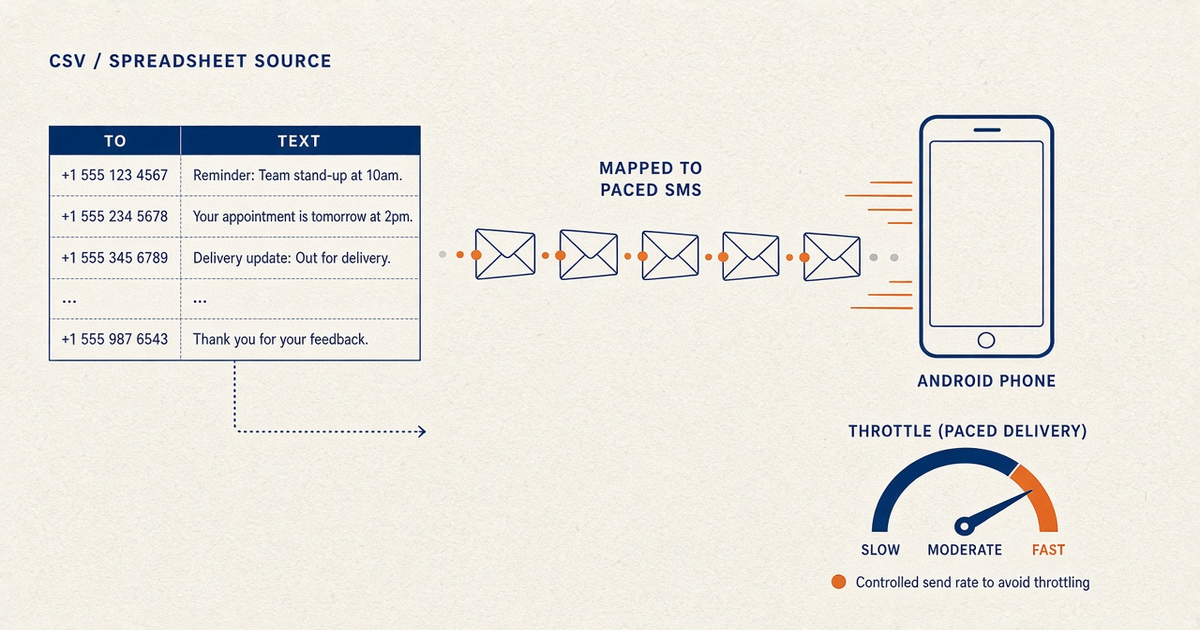
Dead or sleeping phones look like application bugs from the API side. Missing timeouts hang workers; missing idempotency doubles airtime. Unbounded queues without pace settings flood a SIM that is already half-asleep. Updates without canaries break pairing silently.
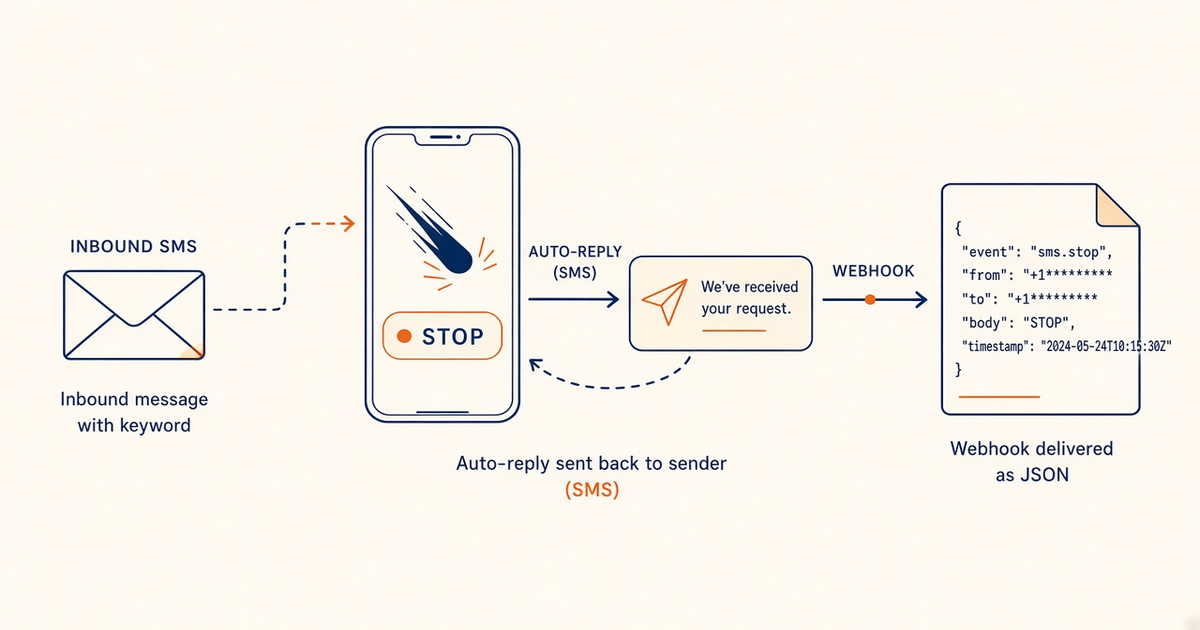
Related: auto-reply only runs while the device is actually online. If you rely on STOP keywords overnight, OEM sleep is a compliance incident — see auto-reply and STOP.
Security
Keep API keys on servers. Redact OTP bodies in logs. Rotate credentials after any paste into chat. Separate environment credentials early. A phone that is always on and exempted is a powerful SMS sender — treat physical access like production infrastructure.
Operations
On-call cards beat tribal knowledge. Track last-seen and Pending age as primary signals. Keep spare charged devices for critical lanes. After OEM updates, re-verify exemptions. Train support to distinguish accept failures from delivery failures — the support-staff how-to is the companion script.
Checklist
- Brand-specific exemption screenshots in the runbook.
- Autostart + unrestricted battery + Recents lock.
- Phone on a labeled charger, not a random USB port that sleeps.
- Last-seen alert with a threshold you actually page on.
- Overnight canary before OTP cutover.
- Re-verify after APK and OEM system updates.
- Spare device paired and charged.
- Work profile not isolating SMS permission.
- Pricing understood: devices + volume + BYO airtime.
- Developer Center checked for live fields.
Next steps
Install from downloads, pair via setup, then soak last-seen overnight. Keep phone-as-gateway and API in the same reading path. USSD balance checks (Android 8.0+) can confirm airtime without guessing: USSD gateway.
Deep dive: production hardening
Tablets with SIMs can work as modems; tablets without cellular cannot. Operator UX matters when staff swap SIMs on a small screen. Log export for support should redact OTP bodies while retaining message ids and last-seen. Downloads is the source for the current APK.
Freeze a small set of OEM brands. A fleet of five random second-hand overlays is unsupportable. If you must mix, the matrix above becomes a living wiki, not a footnote.
Power path: nameplate-matched adapters, labeled cables, surge protection where grids are noisy. Overnight reliability is often electrical, not software.
Deep dive: scaling and failure modes
More devices means more exemption chores. Bake the OEM checklist into device onboarding the same day you QR-pair. Health-aware routing should skip a device whose last-seen aged out, not wait for OTP SLAs to miss.
Dual-SIM phones share one OEM policy. Exempting the app once covers both slots; a weak slot is still a radio problem.
Do not raise Android SMS rate ceilings as if operator and consent limits disappear. Fair-use still applies after you unlock the OEM send cap.
Deep dive: integration discipline
Client retries during OEM sleep create duplicate OTP when the phone wakes. Idempotent accepts belong in the server contract. Confirm schemas in Developer Center. OTP and bulk should not share a sleeping device.
Local mode behind CG-NAT is a frequent trap if you expected inbound admin access to the phone. Cloud relay is usually the rational default when the handset cannot be reached.
Related product pages
Jump to the live product docs for this topic—not another long-form article.
- SMS API documentationLive endpoint reference
- device and SMS volume pricingPlans and allowances
- Android SMS gateway product guideDefinition, product, and how to buy
- download the Android gateway appGet the APK