Key Takeaways
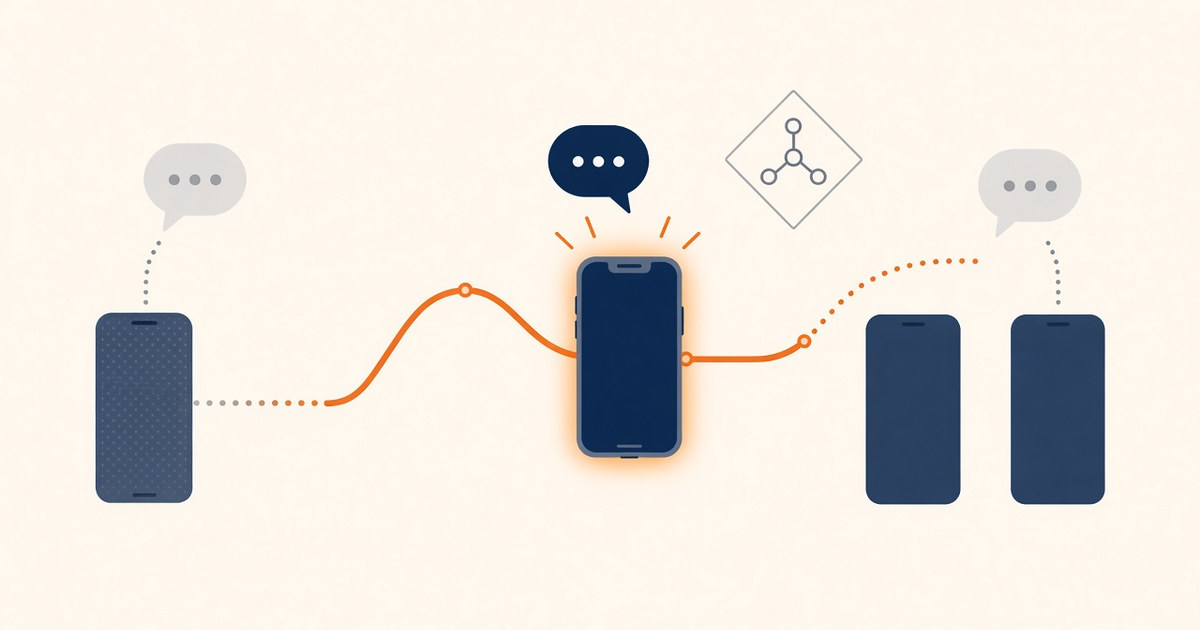
- Edtech scenario 4 lives or dies on multi-device failover during exam-week login spikes, not on a single dorm-room phone.
- Keep enrollment OTP, parent-portal login, and promotional course blasts on separate Android pools.
- Priced by devices and SMS send volume. You use your own phone and operator SMS credit.
- Free is 300 SMS lifetime, 300 contacts, 1 device — enough to prove pairing, not peak enrollment.
- A charged spare that is already paired beats a brochure SLA when the primary OEM killer sleeps the radio.
- Developer Center owns live API fields; this article is the campus failure map.
Summary
Android SMS gateway app scenario 4 is the edtech multi-device failover case: exam-week OTP, parent-portal resets, and class reminders leaving one Android phone. Service pricing is based on device count and total SMS sent through the gateway. You need a working Android phone with a SIM and SMS credit from your mobile operator. Operator message costs are yours—we do not sell carrier SMS balance.
A spare in a drawer is not failover. Failover is a second paired handset with airtime, exemptions, and a documented owner who can swap SIMs before the first period starts.
This vertical copy stays on campus traffic. Do not reuse the generic “every scenario” checklist as if a marketplace seller alert and a student login code share the same failure budget.
Key takeaways
- Edtech scenario 4 lives or dies on multi-device failover during exam-week login spikes, not on a single dorm-room phone.
- Keep enrollment OTP, parent-portal login, and promotional course blasts on separate Android pools.
- Priced by devices and SMS send volume. You use your own phone and operator SMS credit.
- Free is 300 SMS lifetime, 300 contacts, 1 device — enough to prove pairing, not peak enrollment.
- A charged spare that is already paired beats a brochure SLA when the primary OEM killer sleeps the radio.
- Developer Center owns live API fields; this article is the campus failure map.
Related reading
multi-device and dual SIM routing, OTP verification on your own SIMs, Android SMS gateway app guide, Android connectivity docs.
Campus context
Learning platforms treat SMS as the fallback when email is slow and in-app push is ignored. The radio path is still a phone on a desk: OEM battery killers, prepaid exhaustion, and a single USB cable that someone unplugged for a projector.
Boarding schools and multi-campus LMS tenants add timezone drift. A 07:00 reminder in the registrar timezone lands at 02:00 for a remote student. That is a consent and complaint problem, not an API field problem.
Cross-link hub cornerstones instead of rewriting the product overview. Confirm request shapes in Developer Center before you copy a sample into production enrollment jobs.
Failover for class-day OTP
Map each student moment to a device pool: login OTP, password reset, attendance ping, and marketing. Only the first two belong on the exam-week failover pair.
Separate configuration mistakes from radio failures. A 401 after a key rotation is not “the SIM died.” A DLR gap with a dark screen is not “the API is down.”
Write acceptance criteria before enrollment week: p95 OTP submit-to-handset, spare takeover under two minutes, and zero promotional jobs on the OTP queue.
Lane map
| Campus lane | Device pool | Typical fail |
|---|---|---|
| Student login OTP | Primary + spare exam phones | Queue stall if spare is charging elsewhere |
| Parent portal reset | Same OTP pool, lower priority | Starved when exam OTP floods the SIM |
| Class reminder | Transactional campus SIM | Quiet-hour policy vs timezone of boarding students |
| Course promo | Marketing pool only | STOP replies hitting the OTP inbox |
Cost and ownership
Priced by devices and SMS send volume. You use your own phone and operator SMS credit. Model campus spend as devices + gateway volume + operator airtime. Failed OTP retries still burn prepaid during load tests.
Assign who tops up SIMs before midterms. A registrar should not discover an empty prepaid wallet at 08:55.
Keep marketing enrollment spend off OTP handsets. Free-tier 300 lifetime SMS is a pairing lab, not a 4,000-seat LMS.
Starter, Professional, and Business list Unlimited SMS as platform send volume; that is not unmetered carrier SMS. Starter, Professional, and Business uncap platform send volume; devices still meter (2 / 5 / 15) and the carrier still bills airtime.
Operations
Daily checks on exam weeks: pairing health, battery, queue depth, DLR anomalies, and whether the spare is still on charge in the IT closet.
After OEM updates or SIM swaps, re-run the student login canary on staff numbers before opening the portal.
Name an on-call owner who can physically reach the phones. Remote “restart the app” does not fix a tripped building breaker.
Security and compliance
Protect API keys per environment. Rotate after a contractor finishes the LMS plugin. Never log full OTP bodies into Slack or a shared LMS ticket.
STOP and consent still apply on promotional course lanes. Do not auto-reply into OTP threads.
Verify webhook signatures and TLS on every callback path that marks a student “verified.”
Decision guide
Ship android sms gateway app scenario 4 when two paired phones, airtime owners, and OTP isolation are written down. Delay if you cannot explain what happens when the primary phone goes offline during first period.
If zero phone ops is mandatory, evaluate CPaaS for that authentication lane and keep the Android path for lower-stakes campus notices.
Checklist
- Exam OTP and parent reset isolated from course promo.
- Spare charged, paired, and airtime-checked.
- Canary on staff numbers passed.
- Developer Center checked if API-shaped.
- Webhook and DLR monitoring on the LMS job.
- Airtime budget includes retries.
- On-call owner named for the device closet.
- Rollback: pause enrollment SMS without pausing email.
Next steps
Return to App guide, compare device and SMS volume pricing, open device setup guide, and confirm APIs in SMS API documentation.
Deep dive: production hardening
Edtech failover is a physical drill. Label both handsets, keep chargers on a dedicated strip, and refuse “temporary” marketing jobs on those IMEIs.
Battery exemptions and OEM killers dominate overnight reliability for Sunday-night homework portals. Re-test after every major Android update the IT club applies.
Spare charged devices matter more than brochure SLAs when phones send the SMS. Airtime surprise bills happen when bulk enrollment loops ignore radio pace.
Never claim unlimited free cloud SMS credits with no device or volume meter. Name an on-call owner before unattended schedules go live. Canary on staff numbers before student OTP.
Cross-link Setup, Pricing, Downloads, and Developer Center with keyword-rich anchors. Prefer honest latency expectations over marketing claims about global SLAs on SIM paths.
Document who owns SIM top-ups for multi-campus rollouts. Webhook signature verification is non-negotiable when the LMS marks a learner verified.
If zero phone ops is mandatory, evaluate CPaaS for that lane instead. Keep local-SIM economics only where staff can touch the radios.
OTP and marketing must stay on separate lanes on this campus scenario. Contact lists for alumni fundraising need consent metadata stored with the number — that is a different pool.
Dual-SIM routing fails when slot maps drift after reboot without re-pair. Multi-device failover only helps if spare phones stay charged and paired.
Scheduled class reminders must survive device sleep and timezone mistakes. Attendance pings are transactional; course upsells are promotional.
Deep dive: scaling and failure modes
Scale by adding paired OTP phones, not by raising a fictional “unlimited carrier” ceiling. Android and OEM rate ceilings still apply; carrier fair-use still applies.
Queue depth during exam week is the first signal. If DLR age climbs while the primary screen is dark, fail over before students refresh the login form into a retry storm.
Retry storms burn operator credit. Cap OTP resends per student per hour in the LMS, independent of gateway retries.
Regional campuses may need local SIMs for inbound delivery. That is still devices + volume on the platform, plus local airtime.
Do not load-test against production student numbers. Use staff cohorts and a dedicated canary SIM.
Watch for OEM SMS rate ceilings after a firmware update. Raising those ceilings is not “removing Android SMS rate limits.”
Parent-portal traffic often peaks after evening email. Keep that burst on the OTP pool but below exam-login priority.
A third device is cheaper than a Monday outage write-up. Fund it in the same budget line as the first two.
Measure submit-to-DLR, not “messages accepted by HTTP.” Campus leadership cares whether the code arrived.
Document the failover runbook in the same place as the LMS incident channel. If only one contractor knows the pairing PIN, you do not have failover.
Deep dive: integration discipline
Hold the Bearer token in the LMS job worker, never in a browser theme or a student-facing plugin. Idempotent enrollment IDs prevent duplicate OTP on webhook retries.
Store gateway message IDs on the login attempt row. Support should answer “did we send it?” without grepping phone logs.
Confirm live parameters in Developer Center. This scenario article will drift if you treat sample JSON as a contract.
Prefer gradual rollout with feature flags when automation is involved. Open OTP-by-SMS for one faculty first.
Keep examples conceptual until Developer Center confirms live request shapes. Budget airtime for retries — failed loops still cost operator credit.
Radio reality still wins: offline phones and OEM killers break exam mornings overnight. Cross-link hub cornerstones instead of rewriting the product overview.
Isolate OTP from promotional traffic so campaigns cannot starve authentication sends. Verify webhooks and DLR habits before customer traffic.
Scenario success needs owners for phones, SIMs, templates, and on-call. That is the whole of android sms gateway app scenario 4.
Related product pages
Jump to the live product docs for this topic—not another long-form article.
- multi-device and dual SIM routingCapacity and failover
- OTP and 2FA SMS on AndroidAuthentication flows
- SMS delivery reports (DLR)Delivery status tracking
- SMS API documentationLive endpoint reference