
Key Takeaways
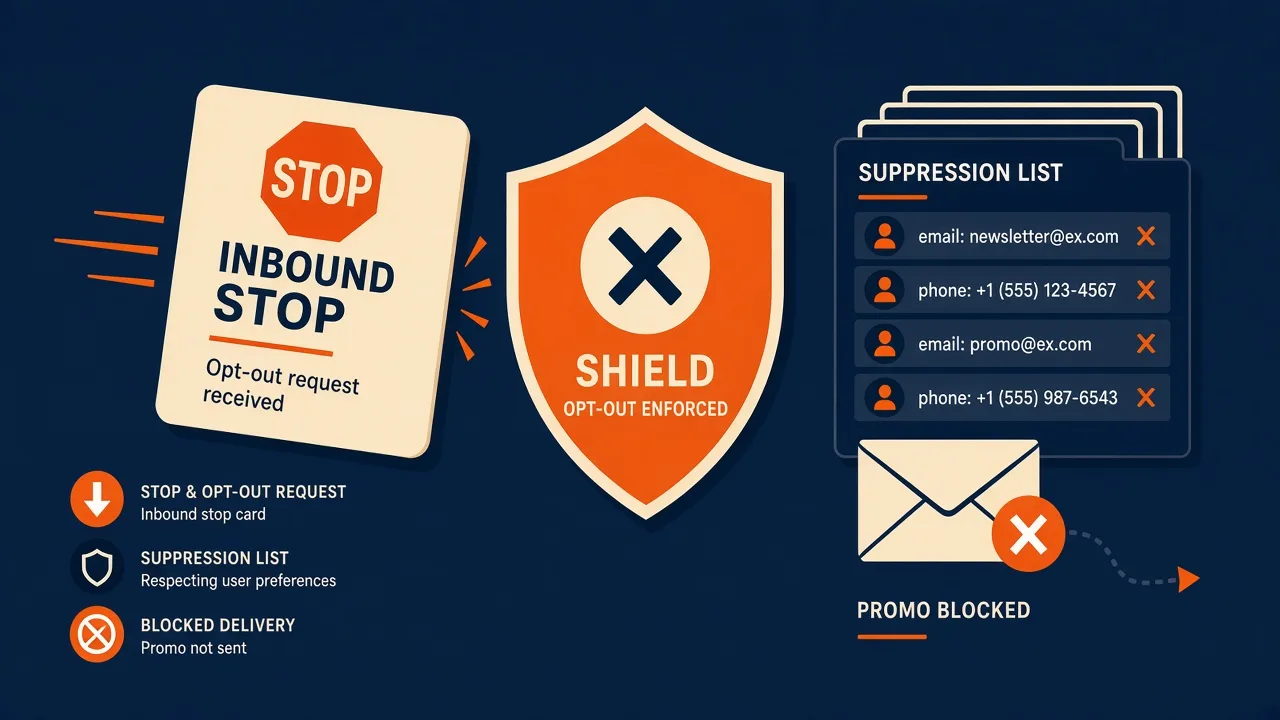
- API how-to for STOP and opt-outs: inbound webhook → keyword match → suppression list → never POST /messages to that MSISDN on promo deviceIds.
- Confirm keywords and auto-reply behaviour in product docs. Do not invent a stop=true send flag.
- Transactional OTP usually stays off the promo suppression debate — still honour a hard block if counsel says so.
- Quiet hours and consent still apply before the first send.
- Service pricing is based on device count and total SMS sent through the gateway. You need a working Android phone with a SIM and SMS credit from your mobile operator. Operator message costs are yours—we do not sell carrier SMS balance.
This Hub C how-to is how to handle STOP and opt-outs on the Android SMS gateway API: you already send with Bearer JSON; now inbound “STOP” has to mean something before the next campaign. It is not a rewrite of the auto-reply feature page.
Service pricing is based on device count and total SMS sent through the gateway. Auto-reply and STOP, webhooks, API docs.
A STOP that only lives in the phone thread is not an opt-out. It is evidence you will dislike later.
Hub C: API how-to, not the STOP feature essay
CTIA-style hygiene for US promo: CTIA — context, not a certification. Counsel owns TCPA/GDPR.
STOP path table
| Step | Where | Failure |
|---|---|---|
| Inbound STOP | message.received | No webhook / unsigned |
| Match keyword | Your parser + panel auto-reply | Only matching “Stop” with a capital S |
| Write suppression | Your DB, keyed by E.164 | Panel-only, API senders ignore it |
| Next POST /messages | Filter promo deviceIds | CSV still includes the number |
Parse message.received
{
  "id": "evt_01K2F8QW3N4RXB7M",
  "type": "message.received",
  "createdAt": "2026-08-12T14:04:09Z",
  "apiVersion": "2026-08-12",
  "data": {
    "message": {
      "id": 41822,
      "number": "+14155552671",
      "text": "Yes, please reschedule to Thursday.",
      "status": "Received",
      "deviceId": 3,
      "receivedAt": "2026-08-12T14:04:09Z"
    }
  }
}
Normalize text: trim, case-fold, common STOP/UNSUBSCRIBE/END. Exact list is a product/legal choice.
Suppression before the next POST
Campaigns via POST /campaigns or CSV in the panel still need the same list. CSV bulk. You need a working Android phone with a SIM and SMS credit from your mobile operator. Operator message costs are yours—we do not sell carrier SMS balance.
OTP is not a STOP lane
Do not send login codes from the promo SIM. A STOP on marketing should not blindly disable 2FA unless you designed that. OTP.
Checklist
- HMAC on inbound.
- Suppression store keyed by E.164.
- API and panel share the list.
- Promo deviceIds filtered.
- Ack SMS (if any) is not a new campaign.
Next steps
Pair via downloads, send a promo canary to a staff SIM, reply STOP, then prove the next API send is skipped.
Related product pages
Jump to the live product docs for this topic—not another long-form article.
- two-way SMS inboxReplies on your SIM
- SMS auto-reply and STOP keywordsOpt-out and keywords
- SMS API documentationLive endpoint reference
- device and SMS volume pricingPlans and allowances


