MCP Server for Android SMS Gateway: Windsurf MCP SMS — example agent prompt

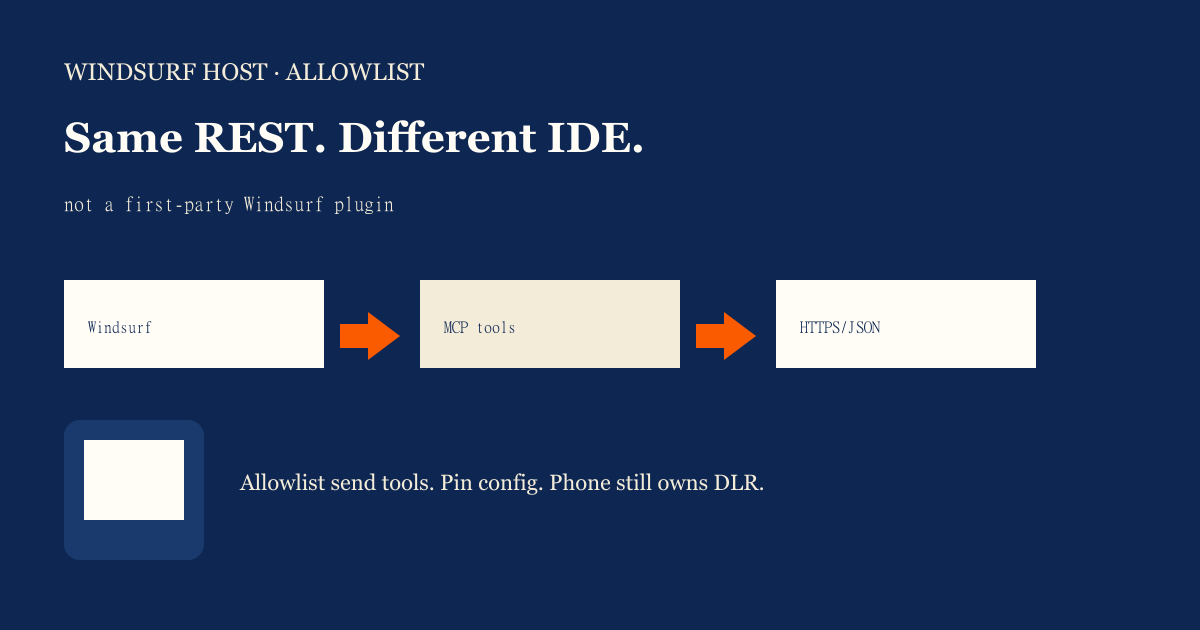
Featured illustration for MCP Server for Android SMS Gateway: Windsurf MCP SMS — example agent prompt

MCP Server for Android SMS Gateway: Windsurf MCP SMS — example agent prompt. MCP education post: Windsurf MCP SMS (example agent prompt). Explain tools as interface over the same Android SMS gateway API. No MCP server implementation code required in Phase 1. Priced by devices and SMS send volume; BYO phone and operator credit. Developer Center owns live API parameters.

Written by the SMS Gateway team for operators who run phones and airtime themselves — not for theoretical cloud SMS demos.

InformationAndroid SMS GatewayMCPDevelopers
Article
Published
March 12, 2025
Updated
March 14, 2025
Reading time
16 minute read

Key Takeaways

  • Windsurf MCP SMS is the same REST wrapper loaded in another IDE — not a first-party Windsurf, Cursor, or Claude plugin.
  • Example prompt: allowlist tools, pin MCP config, list_devices before send, no OTP in chat.
  • Retest after Windsurf/MCP client updates. Schema drift is a send incident.
  • No MCP server implementation dump. Live fields live in Developer Center.
  • Rate limits still mean OEM + plan caps, not filter evasion.
  • You bring the Android and operator credit. We meter devices and send volume.

Windsurf is a host, not a plugin SKU

Windsurf MCP SMS — example agent prompt is host-specific allowlisting for the same Android SMS gateway REST wrapper. Do not rewrite the MCP overview. Spec: MCP specification.

Enabling SMS tools in Windsurf is a config change, not a new SMS network.
IDE box pulsing toward a phone
A lit IDE is not a paired radio.

Example agent prompt

“You are in Windsurf. Only use SMS tools on the allowlist. list_devices before send. Honor 429. Never dump keys from mcp.json. Never treat this host as a first-party SMS plugin.” Fields: Developer Center.

Host checklist

ItemWindsurf-specific?SMS-specific?
MCP config / allowlistYes — this IDE’s filesWhich tools can send
Gateway RESTNoSame API as Cursor/Claude hosts
Paired AndroidNoDevice setup
Client version pinYesStreamable HTTP drift

Allowlist like any other IDE

Disable bulk send tools in developer IDEs unless a human is in the loop. OTP tools follow the send/verify prompt. Multi-tenant keys still apply if more than one customer shares a machine.

Cost

You bring the Android and operator SMS credit. IDE convenience does not include airtime. Free: 1 device / 300 SMS lifetime / 300 contacts. See device and SMS volume pricing.

Checklist

  • No “official Windsurf plugin” claim.
  • Allowlist documented for this host.
  • Retest after IDE updates.
  • list_devices before send.
  • OTP isolated; no digits in chat.
  • 429 honored.
  • No MCP source dump.
  • Developer Center for live fields.

Next steps

Transport: Streamable HTTP prompt. n8n is a different automation host — not an IDE.

Jump to the live product docs for this topic—not another long-form article.

FAQ

Frequently asked questions

Direct answers about mcp for sms.

Do you ship an official Windsurf SMS plugin?

No. Point Windsurf at your MCP server that wraps HTTPS/JSON. We do not maintain a Windsurf Marketplace listing here.

Is Windsurf different from Cursor for SMS?

The radio is the same. Host config and allowlists differ. Do not assume tools enabled in one IDE are enabled in the other.

Does Windsurf include carrier SMS credit?

No. You supply the phone and operator SMS credit. Service pricing is devices plus SMS send volume.
Keep learning

Topically related guides—chosen by subject overlap, not a fixed sitewide footer.

Practical
android sms gateway server checklist

API production readiness Checklist for Gateway Server

API production readiness Checklist for Gateway Server. Printable-style API production readiness checklist mapped to android sms gateway server. Each item includes why it matters and a verification step. Priced by devices and SMS send volume; BYO phone and operator credit.

Mar 7, 202616 min
Read article
Information
android sms gateway server how to incident response for outage

Gateway Server: How to incident response for outage

Gateway Server: How to incident response for outage. Actionable guide on how to incident response for outage in context of android sms gateway server. Include prerequisites, steps, limits, and internal links. Priced by devices and SMS send volume; BYO phone and operator credit.

Oct 24, 202416 min
Read article

Browse the full Android SMS gateway knowledge base or return to how an Android SMS gateway works.

Get started

Test the gateway on your own Android phone

Install the app, pair one device, and validate your API flow before choosing a paid plan.

You supply the phone, SIM, and operator SMS credit.