Key Takeaways
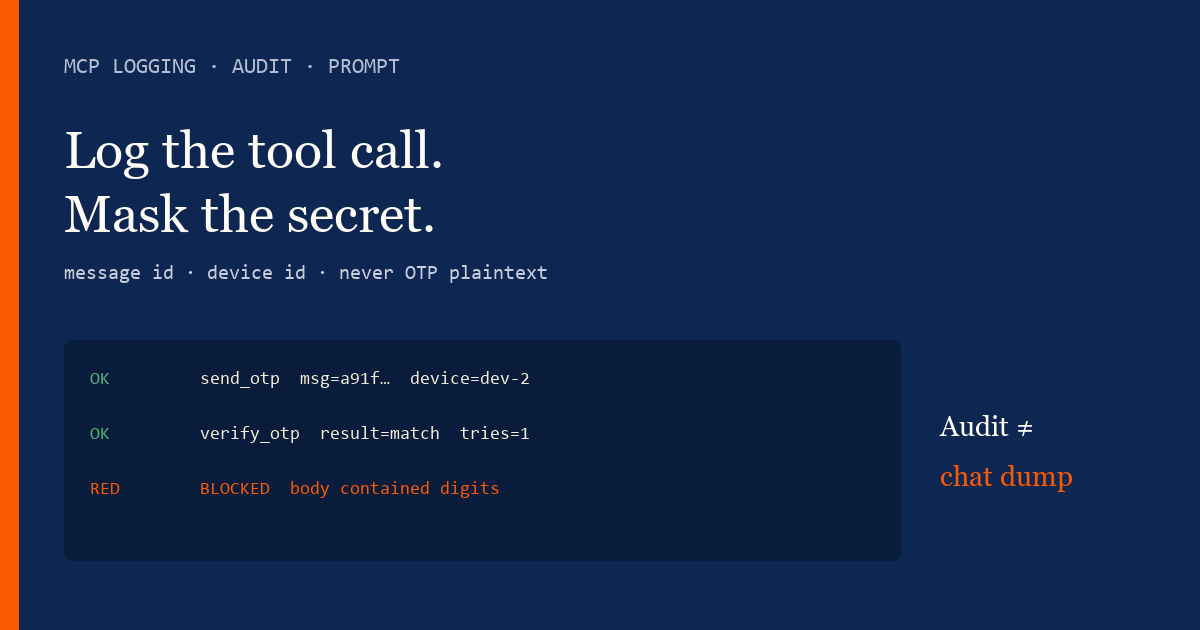
- MCP logging for SMS means audit tool name, message id, device id, status — never OTP plaintext or API keys.
- Chat transcripts are not your audit log. Prefer structured logs from the REST wrapper.
- Example prompt: refuse to dump bodies; summarize failures with codes; link DLR ids only.
- Live fields live in Developer Center. No MCP server source dump.
- Retention policy still applies — agent history exports are PII risk.
- You bring the Android and operator credit. We meter devices and send volume.
Log calls, mask secrets
MCP logging and audit — example agent prompt tells the model what it may summarize after a send, and what must never appear in chat or logs. Overview: MCP overview. In-depth twin: MCP logging in-depth.
An “audit trail” that stores OTP bodies is a liability spreadsheet with timestamps.
Example agent prompt
“After SMS tools run, report only: tool name, success/fail, message id, device id, and error code. Never repeat SMS bodies, OTP digits, or Authorization headers. If a tool returns sensitive fields, refuse to quote them. Point operators to structured logs, not this chat.” Spec: MCP specification. Fields: Developer Center.
What to log
| Field | In audit log? | In chat summary? |
|---|---|---|
| Tool name + status | Yes | Yes |
| Message / device id | Yes | Yes (short) |
| OTP / SMS body | No | No |
| API key / bearer | No | No |
| Recipient E.164 | Hashed or truncated | Last 4 only if needed |
Redaction rules
Pair with MCP auth prompt and DLR product docs: delivery reports. Compare aggregator logging theatre carefully — Twilio vs Android SMS gateway.
Cost
You bring the Android and operator SMS credit. Bad retries from “debug again” still meter volume. Free: 1 device / 300 SMS lifetime / 300 contacts. See device and SMS volume pricing.
Checklist
- Structured logs preferred over chat archive.
- OTP / keys redacted by policy.
- Prompt forbids body dumps.
- Message id + device id sufficient for support.
- Retention written.
- No plugin claim.
- No MCP source dump.
- Developer Center for live fields.
Next steps
Error taxonomy: MCP error-handling prompt. Rate limits: MCP rate-limits prompt.
Related product pages
Jump to the live product docs for this topic—not another long-form article.
- SMS API documentationLive endpoint reference
- device and SMS volume pricingPlans and allowances
- Android SMS gateway product guideDefinition, product, and how to buy
- download the Android gateway appGet the APK